
How to View QuickShot Logs
To see the usage and the status of all of the QuickShot images taken you can follow the following steps
1
Navigate to Settings
Firstly, navigate to the Settings page by clicking on the 'Settings' link. This link is located in the navigation bar, at the top right of the page.

2
Click QuickShot Logs
Click 'QuickShot Logs' to view logs for the old QuickShot interface.
Click 'Central Settings' if it exists, then click 'QuickShot' to view logs for the new QuickShot interface.


Please Note:
The images themselves are not saved here and are only accessible from within Medtech.
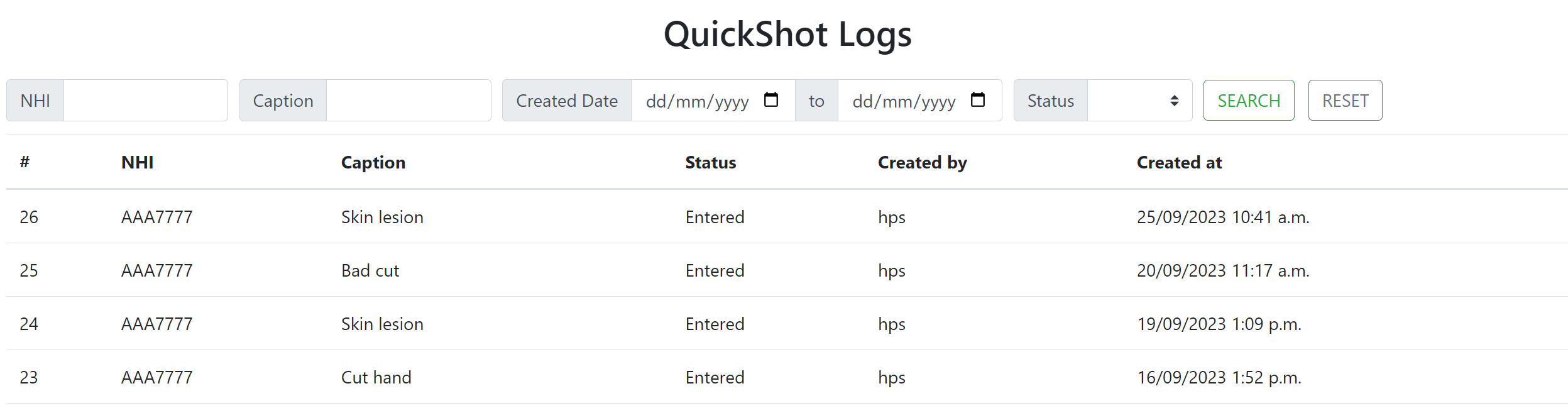
You can see all of the different entries and at the top you have options to filter the list.
Need help getting started?
Contact us and we'll set up a free demo to show you how it works.