
How to Add QuickShot to Your Phone's Home Screen (iOS)
This guide shows the steps to add a shortcut icon for QuickShot on the home screen of your phone for iOS.
1
Open Your Phone's Internet Browser
2
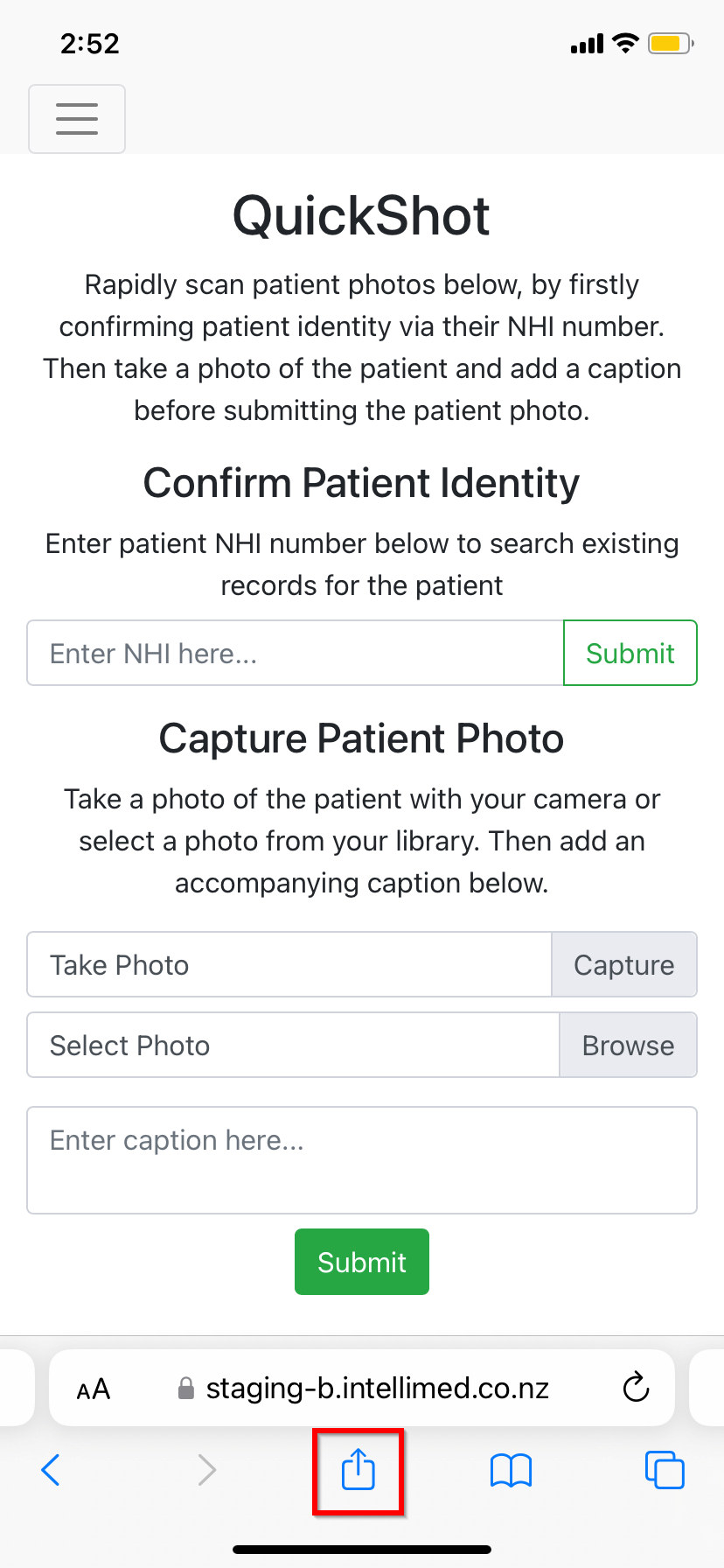
Click the Share Button
The share button is located near the bottom center of the screen as shown in the image below.
3
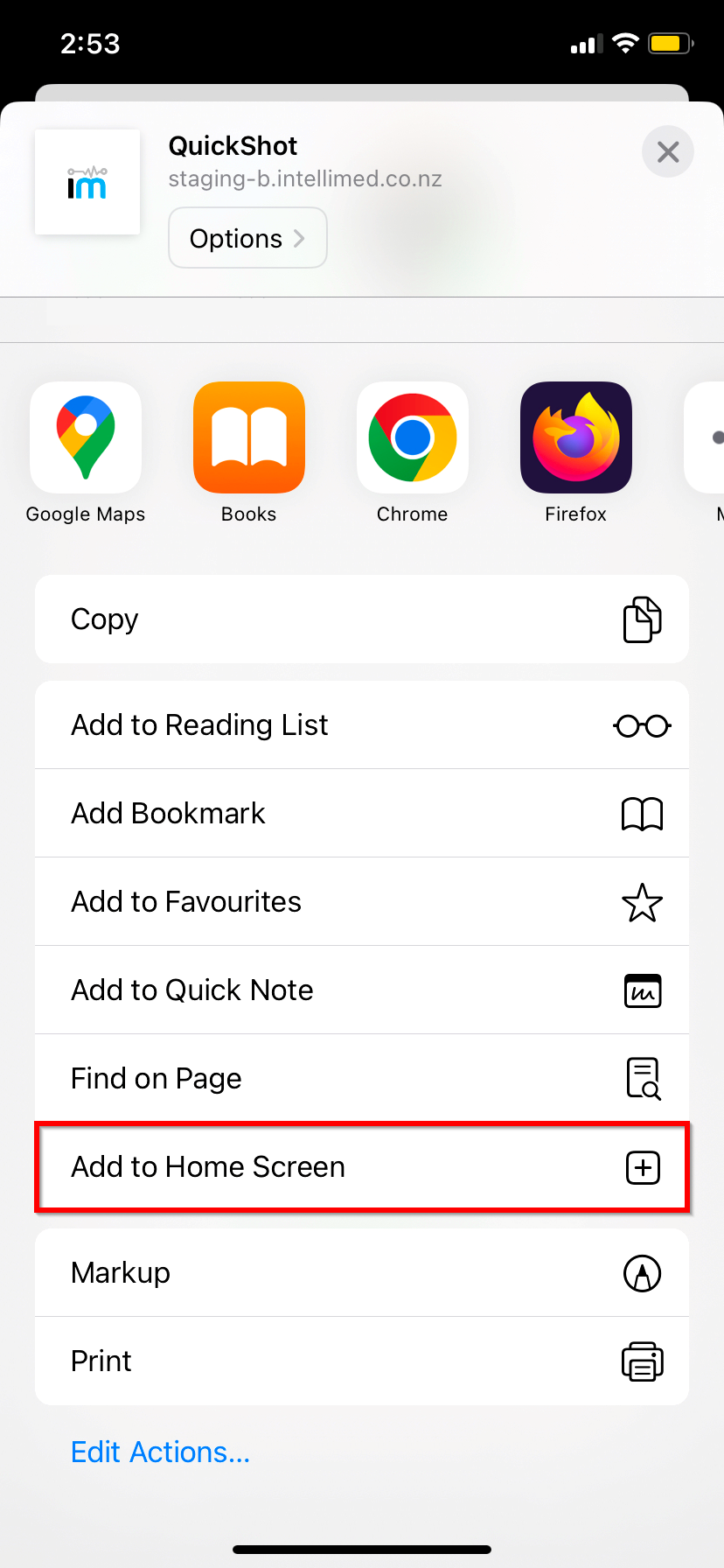
Click "Add to Home Screen"
4
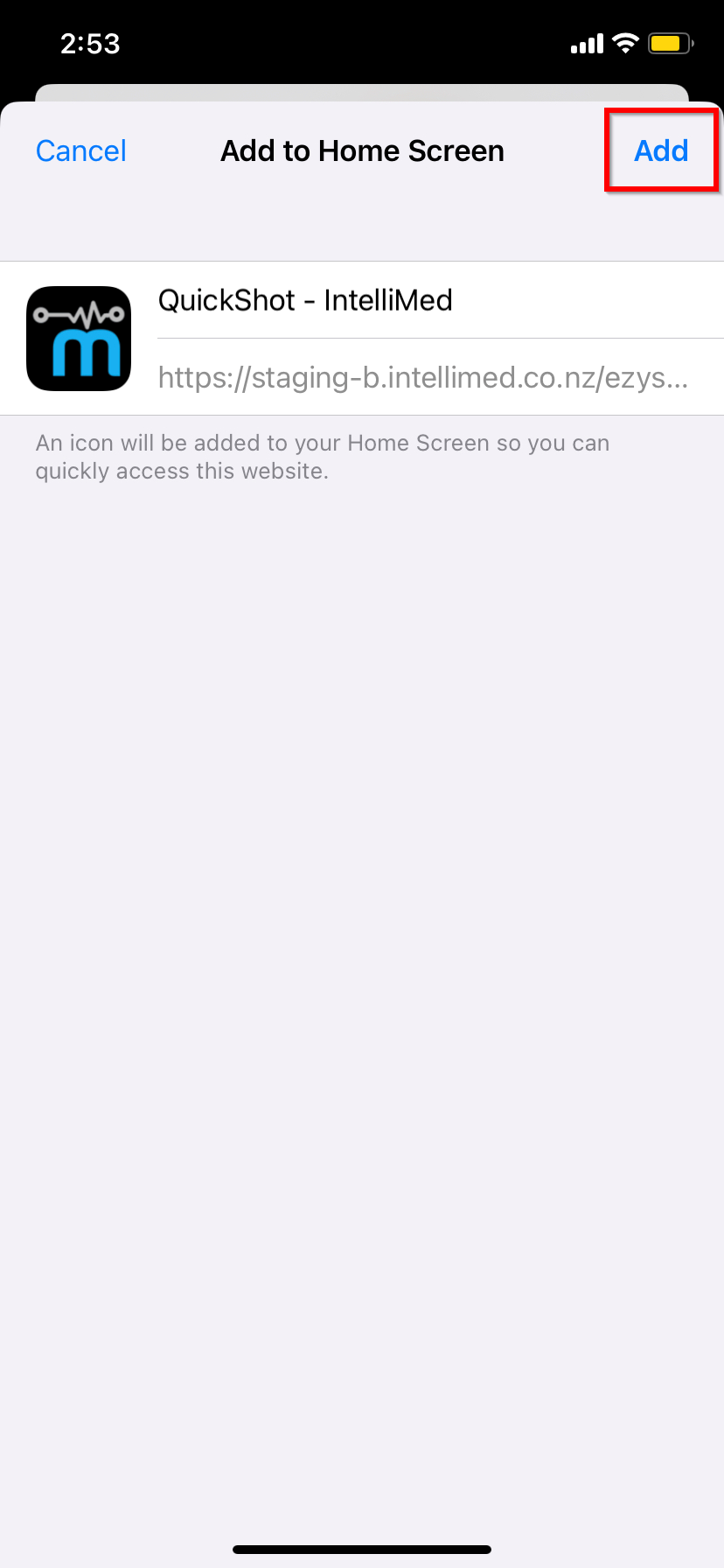
Click "Add"
5
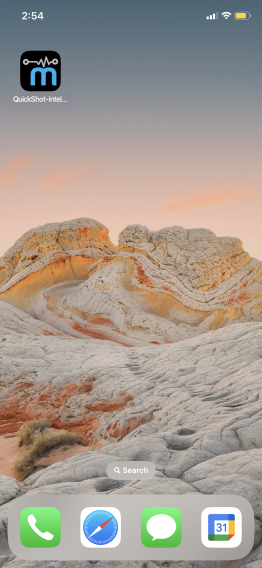
You Will Now See the QuickShot App on Your Phone's Home Screen
After following these steps, you should see a shortcut to the Quick Shot website on your device's home screen for easy access.
Need help getting started?
Contact us and we'll set up a free demo to show you how it works.