
How to Add QuickShot to Your Phone's Home Screen (Android)
This guide shows the steps to add a shortcut icon for QuickShot on the home screen of your phone for Android.
1
Open Your Phone's Internet Browser
2
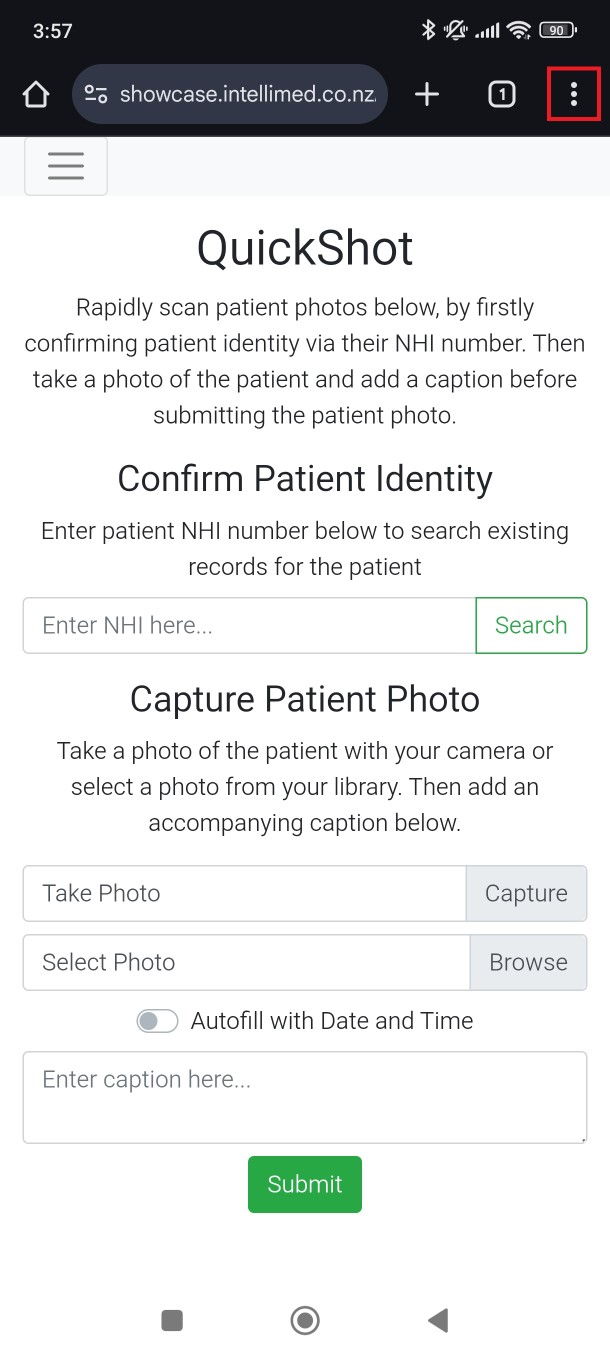
Click the Menu Button : on the Top Right
3
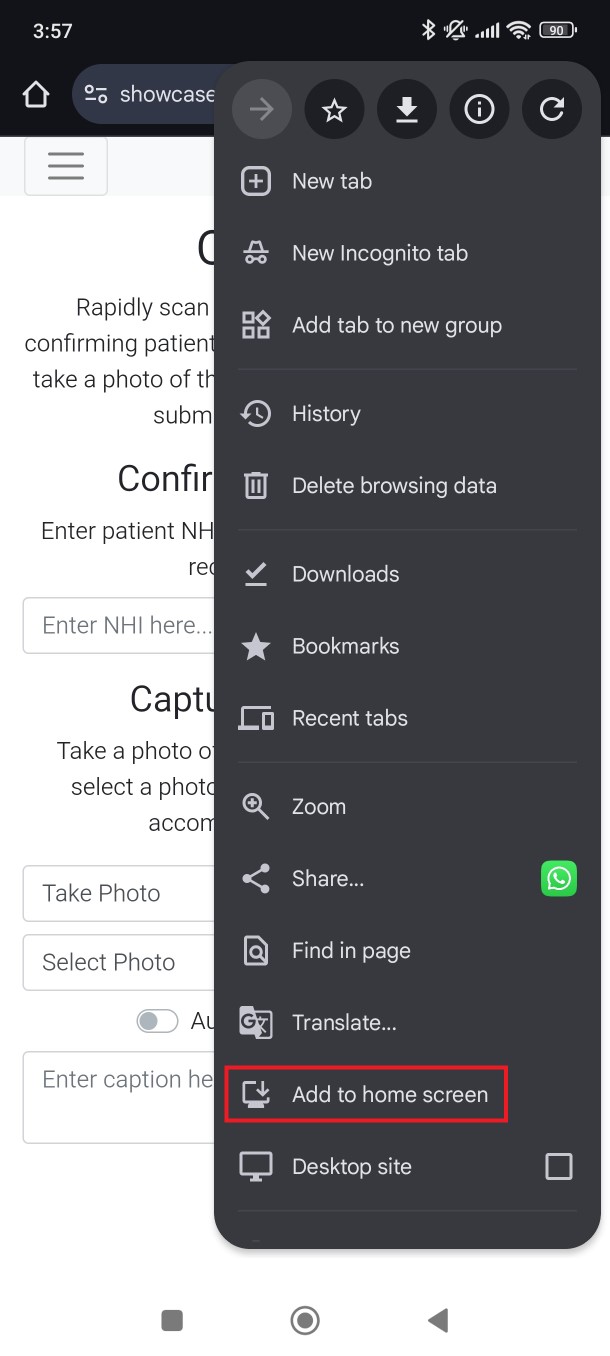
Click "Add to Home Screen"
4
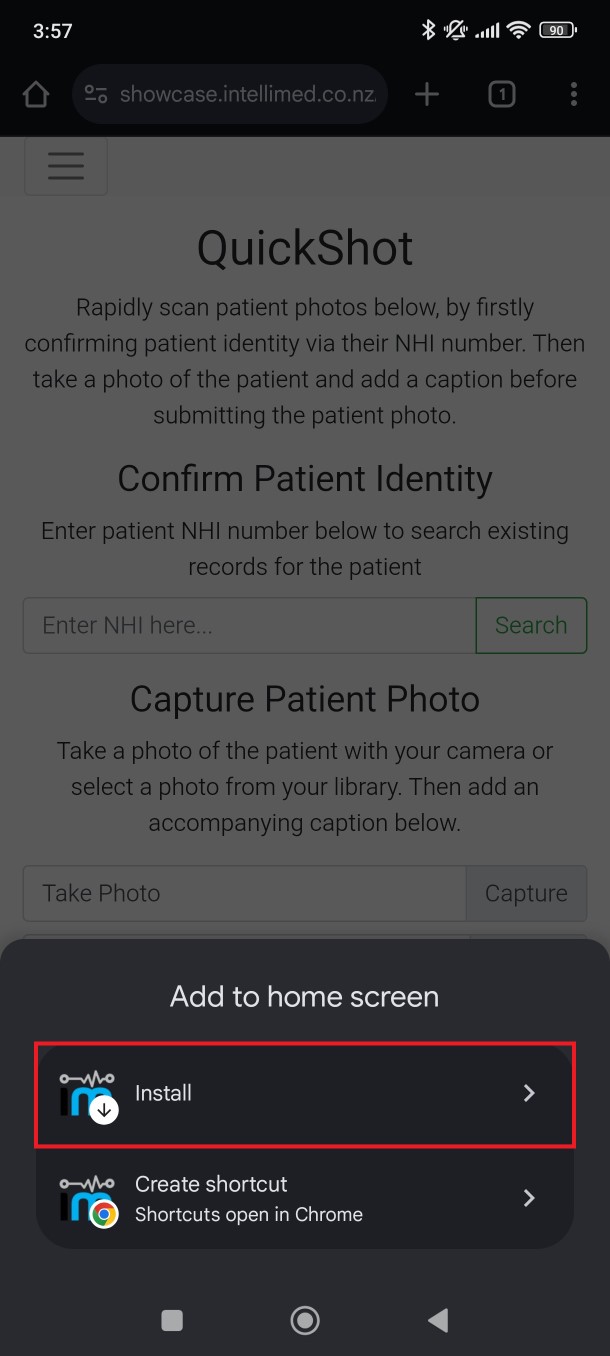
Select the "Install" Option
5
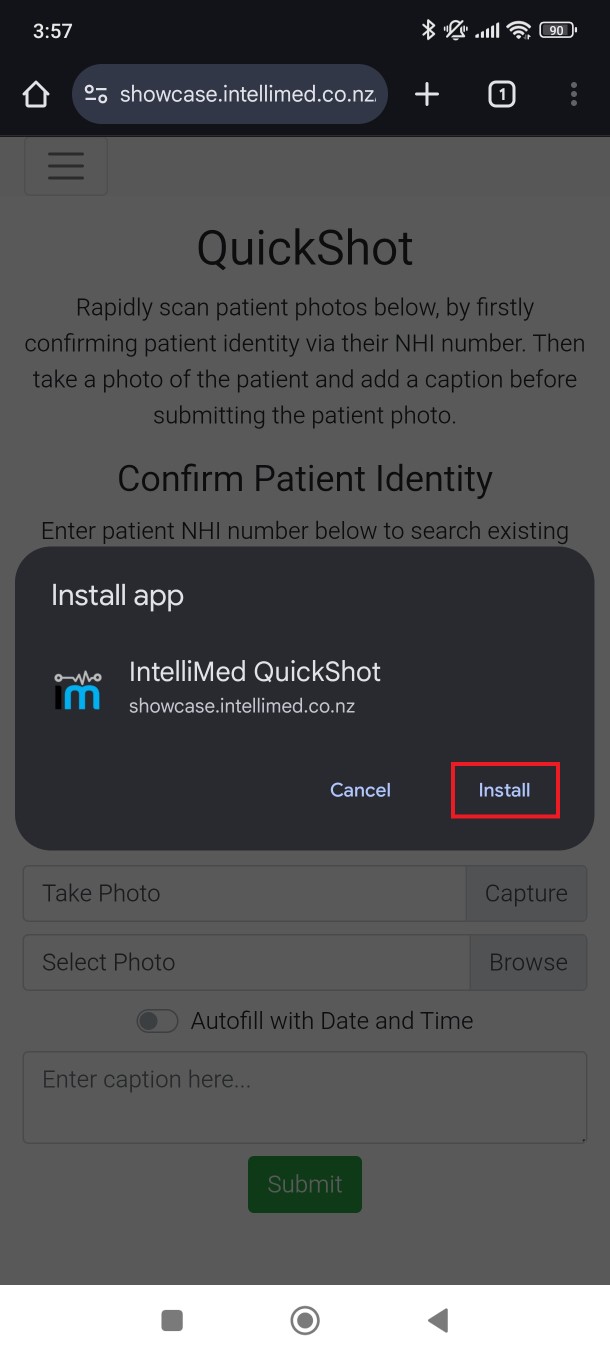
Click "Install"
6
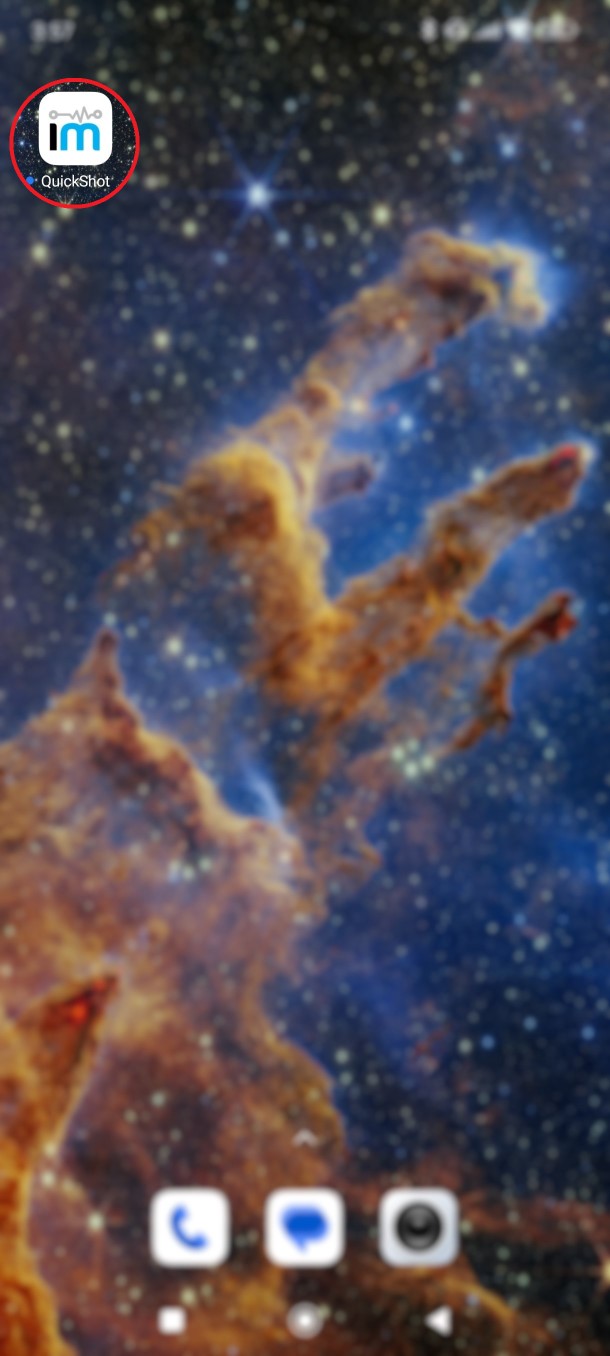
You Will Now See the QuickShot App on Your Phone's Home Screen
After following these steps, you should see a shortcut to the Quick Shot website on your device's home screen for easy access. Please note that the specific wording and location of these options may vary slightly depending on your device's make and model, as well as the version of browser you're using.
Need help getting started?
Contact us and we'll set up a free demo to show you how it works.